

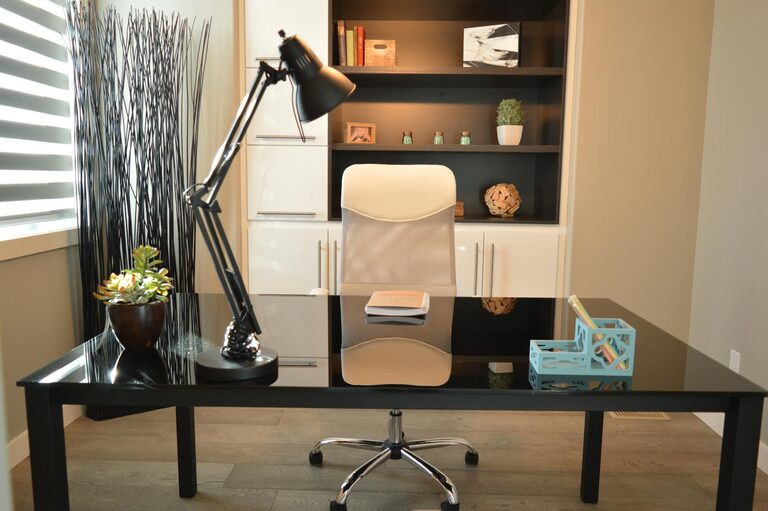
Creating a home workspace that is both relaxing and productive can greatly improve your work-from-home experience. Whether you work full-time from home or occasionally need a quiet spot to focus, the right environment can help you stay motivated and reduce stress. In this post, we’ll explore key strategies to set up a workspace that supports your best work while maintaining a sense of calm.
Importance of a Balanced Workspace
A well-designed workspace should inspire productivity without causing burnout. A chaotic or uncomfortable environment can lead to distractions and fatigue, whereas a relaxing setup helps you concentrate while minimizing stress.
Choosing the Right Location
Find a Quiet Spot
Pick a location in your home that is as quiet as possible. Avoid high-traffic areas like the kitchen or living room if you can, since interruptions can break your focus.
Consider Natural Light
Try to position your desk near a window to take advantage of natural light. It helps reduce eye strain and positively impacts mood.
Separate Work and Leisure
If space allows, keep your work area separate from places you associate with relaxation, such as your bedroom or couch. This boundary helps your brain switch between “work mode” and “rest mode.”
Furniture and Ergonomics
Invest in a Comfortable Chair
A supportive chair is key to spending long hours comfortably. Look for adjustable height, lumbar support, and good cushioning.
Desk Size and Organization
Choose a desk that fits your needs—it should be large enough to hold your computer, notepads, and any other essentials without feeling cluttered.
Monitor Placement
Position your computer monitor at eye level to avoid neck and back strain. Using a monitor stand or adjustable arm can help.
Creating a Calming Atmosphere
Minimalist Design
Keep your workspace tidy and minimize clutter. Use storage solutions like drawers, shelves, or boxes to keep things organized and out of sight.
Personal Touches
Add a few personal items such as photos, art, or plants that make you feel comfortable and happy, but don’t overcrowd your space.
Greenery
Plants can boost creativity and reduce stress. Choose low-maintenance varieties if you don’t have a green thumb.
Lighting Tips for Focus and Comfort
Task Lighting
In addition to natural light, a desk lamp with adjustable brightness helps you concentrate during evening hours or on gloomy days.
Avoid Glare
Arrange your monitor and lights to prevent glare, which can cause headaches and eye strain.
Noise Management
Use Noise-Canceling Headphones
If you can’t find a quiet spot, noise-canceling headphones or earplugs help block out distractions.
Add Soft Textiles
Rugs, curtains, and cushions absorb sound and reduce echoes, creating a softer, quieter space.
Staying Organized and Motivated
Daily To-Do List
Start each day by writing a simple list of tasks to keep focused and motivated.
Declutter Regularly
Set aside a few minutes each day to tidy your desk and remove unnecessary items.
Breaks and Movement
Incorporate short breaks to stretch or take a walk. Movement boosts energy and prevents stiffness.
Technology Setup
Reliable Internet
Ensure you have a strong internet connection for seamless communication and workflow.
Cable Management
Use cable organizers or clips to keep cords neat and prevent tangling.
Backup Plans
Have a backup plan in case of technical issues, such as a portable charger or an alternate device.
Maintaining Work-Life Balance
Set Boundaries
Define working hours and stick to them. Avoid working in your workspace during off-hours to help your mind unwind.
End-of-Day Routine
Create a routine that signals the end of your workday, like shutting down your computer or tidying your desk.
—
By paying attention to your workspace’s location, ergonomics, lighting, and organization, you can create an environment that is both relaxing and conducive to productivity. Small changes can make a big difference in how you feel and perform while working from home. Experiment with these tips and adjust based on what makes you most comfortable and focused.